
Represent a person, role, or activity
Represent a person, role, or activity.
This is the medium-dark skin tone variant of the 🚶♂️➡️ man walking facing right emoji, commonly used for represent a person, role, or activity, add human context to a message, support captions, bios, or status updates.
The 🚶🏾♂️➡️ man walking facing right: medium-dark skin tone emoji is the medium-dark skin tone variant of 🚶♂️➡️ man walking facing right. Man Walking Facing Right is commonly used for man walking facing right as a person, role, activity, identity, or descriptive figure. It can add human presence, gesture, activity, or conversational warmth to messages, captions, lists, or short replies. The exact reading depends on nearby words: it may be literal, playful, supportive, decorative, or simply a quick visual cue. Use it when represent a person, role, or activity, and add text if the intent could be unclear. The skin tone modifies its visual appearance while maintaining its core meaning.
This is the medium-dark skin tone variant of the 🚶♂️➡️ man walking facing right emoji, commonly used for represent a person, role, or activity, add human context to a message, support captions, bios, or status updates.
Common conversational contexts and messaging situations.
Represent a person, role, or activity.
Add human context to a message.
Support captions, bios, or status updates.
Make a short reply feel warmer.
Realistic message examples demonstrating natural placement for 🚶🏾♂️➡️.
“Team check-in uses man walking facing right today 🚶♂️➡️”
“Thanks for showing up as man walking facing right 🚶♂️➡️”
“This man walking facing right fits the update perfectly 🚶♂️➡️”
Search terms, common aliases, and lookup keywords.
Man Walking Facing Right: Medium-Dark Skin Tone
Subcategory: Person ActivityCopy Unicode, HTML, JavaScript, CSS, and programming escape values.
U+1F6B6 U+1F3FE U+200D U+2642 U+FE0F U+200D U+27A1 U+FE0FU+1F6B6 U+1F3FE U+200D U+2642 U+FE0F U+200D U+27A1 U+FE0F0xF0 0x9F 0x9A 0xB6 0xF0 0x9F 0x8F 0xBE 0xE2 0x80 0x8D 0xE2 0x99 0x82 0xEF 0xB8 0x8F 0xE2 0x80 0x8D 0xE2 0x9E 0xA1 0xEF 0xB8 0x8F\uD83D\uDEB6\uD83C\uDFFE\u200D\u2642\uFE0F\u200D\u27A1\uFE0F🚶🏾‍♂️‍➡️🚶🏾‍♂️‍➡️\u{1F6B6}\u{1F3FE}\u{200D}\u{2642}\u{FE0F}\u{200D}\u{27A1}\u{FE0F}\1F6B6 \1F3FE \200D \2642 \FE0F \200D \27A1 \FE0F \U0001F6B6\U0001F3FE\u200D\u2642\uFE0F\u200D\u27A1\uFE0FThis emoji is composed of 8 Unicode characters joined together.
Related skin tone, gender, or composition variations.
Compare licensed artwork side by side, then choose a style to use in Preview & Download.
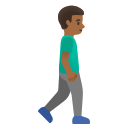


Unicode defines the emoji character or sequence, while each artwork set decides how it is drawn. That is why the same emoji can look different between devices, apps, and design systems.
Helpful tools for discovering, formatting, and converting emojis.
Frequently asked questions about meaning, copying, PNG export, and Unicode data.
This is the medium-dark skin tone variant of the 🚶♂️➡️ man walking facing right emoji, commonly used for represent a person, role, or activity, add human context to a message, support captions, bios, or status updates.
Yes. When licensed artwork is available, choose a style and download 1× (128×128), 2× (256×256), 4× (512×512), or 8× (1024×1024) PNG artwork. EmojiMint shows the selected provider, background, and exact pixel dimensions before download.
Yes. The surrounding words, relationship, and platform can change how 🚶🏾♂️➡️ is read, so add text when the intent matters.
🚶🏾♂️➡️ uses the Unicode sequence U+1F6B6 U+1F3FE U+200D U+2642 U+FE0F U+200D U+27A1 U+FE0F. Its individual code points are U+1F6B6, U+1F3FE, U+200D, U+2642, U+FE0F, U+200D, U+27A1, U+FE0F.
Close alternatives include 🚶♂️➡️ Man Walking Facing Right, 🚶🏻♂️➡️ Man Walking Facing Right: Light Skin Tone, 🚶🏼♂️➡️ Man Walking Facing Right: Medium-Light Skin Tone, 🚶🏽♂️➡️ Man Walking Facing Right: Medium Skin Tone. Choose the one whose expression or symbol best matches the message.
Use the copy button on this page to copy 🚶🏾♂️➡️, or select the emoji character directly and copy it from your browser.